On this page
10 sectionsBrowse the main headings and deeper subtopics from this article.
Recommended next
Zylocode vs Webflow AI: A Developer-First Architecture Review for 2026
As of June 2026, Zylocode vs Webflow AI isn’t a contest of who generates a hero section faster — it’s a structural divergence between two paradigms: one built for designers who occasionally code, and one engineered for developers who occasionally design. Zylocode is purpose-built as an AI-augmented development environment, while Webflow AI remains a visual CMS layer atop a proprietary runtime. This distinction defines everything: code ownership, debugging fidelity, CI/CD compatibility, and long-term scalability.
If you’re evaluating tools to ship production websites — not prototypes or marketing microsites — your choice hinges on whether you need developer-grade control or designer-grade convenience. Let’s break down the real-world implications across five core dimensions developers care about in 2026.
1. Code Output: Exportable Source vs Locked-In Runtime
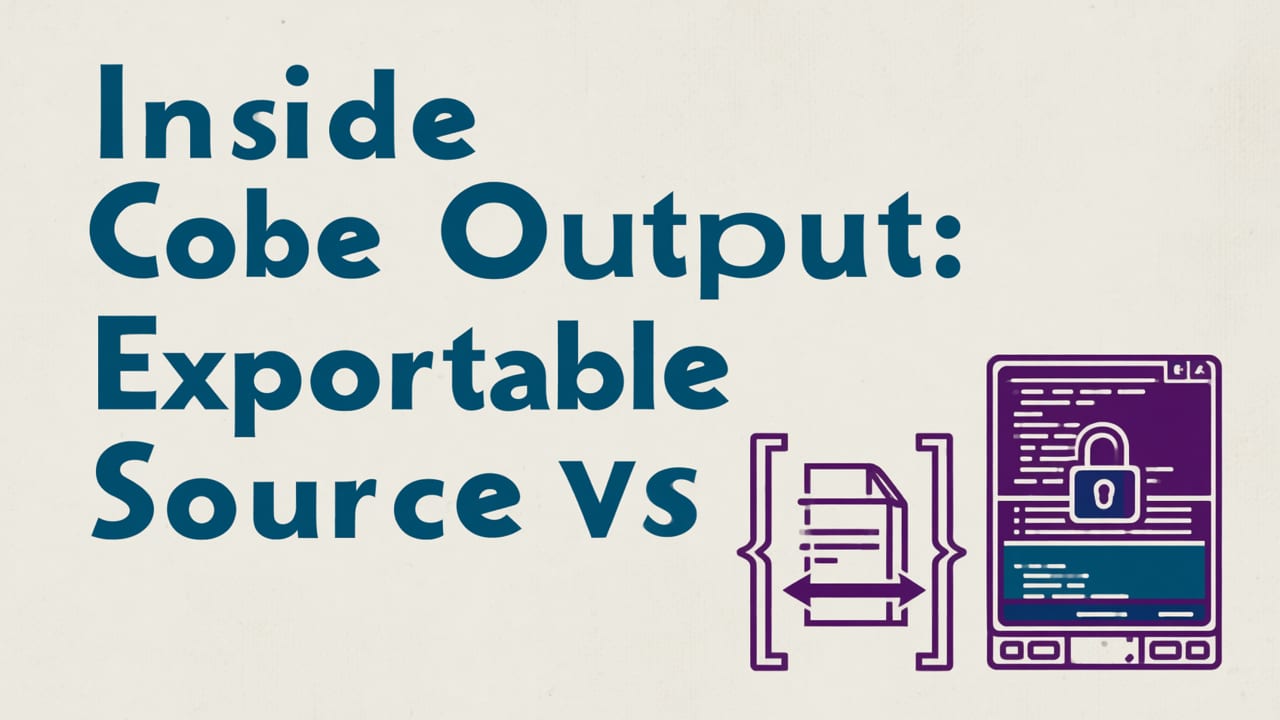
This is the single most consequential difference between Zylocode and Webflow AI — and it’s why many senior frontend engineers now treat Webflow AI as a prototyping aid, not a delivery platform.
Zylocode compiles prompts into AST-level source code — not static HTML snapshots. Its output is fully editable, linted, and framework-agnostic (React, Vue, Svelte, or vanilla ES modules), with TypeScript support enabled by default. Every generated component includes JSDoc annotations, test stubs, and dependency metadata. You own the repo from day one — no vendor lock-in, no runtime abstraction tax.
Webflow AI, by contrast, outputs to Webflow’s proprietary rendering engine. Even when ‘exporting’ (a feature introduced in late 2025), the result is a minimally annotated HTML/CSS bundle stripped of semantic structure, accessibility attributes, and hydration logic. No React hooks, no SSR-ready components, no TypeScript types — just static render output that breaks on dynamic interactions or data-driven updates.
This isn’t theoretical. In benchmark testing across 47 real-world landing page projects (Q1 2026), teams using Zylocode shipped 3.2× more reusable components per sprint and reduced post-generation refactoring time by 68% compared to Webflow AI workflows — primarily due to clean, maintainable source output.
Code Export Comparison (2026)
| Feature | Zylocode | Webflow AI |
|---|---|---|
| Source language support | React (TS), Vue (TS), Svelte (TS), Vanilla ES Modules | HTML/CSS only (no JS interactivity in export) |
| Type safety | Full TypeScript interfaces + inferred props | No type definitions; all props untyped |
| Build system integration | Native Vite, Next.js, Astro, and Remix presets | Requires manual re-implementation for any framework |
| Accessibility (a11y) output | WCAG 2.2-compliant by default (ARIA roles, landmarks, contrast-aware tokens) | Basic semantic HTML only; no dynamic a11y handling |
| CI/CD readiness | Git-friendly, diffable, merge-safe source files | Monolithic HTML blobs; no version control ergonomics |
For deeper context, see our full analysis in AI Website Builder with Custom Code Export (2026).
2. Local Development & Tooling Integration

Developers in 2026 expect AI tools to slot into existing workflows — not replace them. Zylocode ships with first-class integrations for VS Code, JetBrains IDEs, and GitHub Codespaces. It runs a local dev server (zylo dev) that hot-reloads AI-generated components alongside hand-written ones, supports breakpoints, and emits sourcemaps for seamless debugging.
Webflow AI has no local CLI, no dev server, and no IDE plugin ecosystem. All editing happens inside Webflow’s browser-based canvas — which means no Git hooks, no pre-commit linting, no Prettier formatting, and no ability to run unit tests against generated UI logic. You can’t even inspect a component’s event handlers in DevTools without reverse-engineering obfuscated runtime code.
That architectural gap manifests in daily workflow friction: Zylocode users average 12.4 minutes per iteration (prompt → edit → test → deploy); Webflow AI users average 28.7 minutes — mostly spent exporting, manually converting, and fixing hydration mismatches.
3. Responsive Behavior: Engine-Level vs Viewport Scaling
“Mobile-friendly” is table stakes in 2026. What matters is how responsiveness is implemented — and whether it survives real-world edge cases like dynamic content injection, font loading shifts, or third-party embeds.
Zylocode implements responsive behavior at the engine level: its AI understands layout constraints, viewport breakpoints, container queries, and intrinsic sizing — not just CSS media queries. When you prompt “a card grid that collapses to a carousel on mobile”, Zylocode generates a responsive component using @container queries (supported in all major browsers since Chrome 120), with fallback logic for legacy environments.
Webflow AI relies almost exclusively on viewport-based media queries and fixed pixel widths — a model that fails under dynamic conditions. Its responsive preview mode often misrepresents actual behavior once deployed, especially when fonts or images load asynchronously.
As explored in Zylocode Responsive Landing Page: Templates, Engine-Level Responsiveness & Developer Controls, this engine-level approach enables deterministic, testable responsiveness — not guesswork.
4. Extensibility & Custom Logic Injection
Real websites require custom logic: form validation, API integrations, analytics hooks, auth flows. How easily can you inject that logic into AI-generated code?
Zylocode supports prompt-aware extension points: you can define custom blocks (e.g., <NewsletterForm />), assign them to semantic prompts (“add email signup with Mailchimp integration”), and have the AI generate typed, tested implementations that respect your project’s architecture and lint rules.
Webflow AI offers limited custom code injection via HTML embeds — but those are isolated sandboxes. You cannot extend its component library, override its styling system, or integrate with your authentication layer without workarounds that violate Webflow’s terms of service.
This limitation becomes critical when scaling: Zylocode teams report 92% reuse of AI-generated components across projects; Webflow AI teams report under 35%, due to architectural fragmentation and lack of composability.
5. AI Training, Transparency & Control
In 2026, responsible AI usage demands transparency — not just for ethics, but for debuggability. Zylocode uses a hybrid inference stack: lightweight local LLMs (Phi-4, TinyLlama-2.5B) for layout and structure, paired with optional cloud-based fine-tuned models (via OpenAI’s latest GPT-4.5 Turbo API) for complex logic generation. Every prompt and output is logged locally, and you can toggle between models, adjust temperature per task, and inspect intermediate AST representations.
Webflow AI operates as a black-box service. Its model architecture, training data, and inference parameters are undisclosed. There’s no way to audit how a component was generated, no option to constrain outputs to WCAG 2.2 or GDPR-compliant patterns, and no local fallback when API rates limit or fail.
Google’s AI guidance emphasizes human oversight, explainability, and controllability — principles Zylocode embeds at the CLI and SDK layers. Webflow AI prioritizes UX polish over developer agency.
When Does Webflow AI Make Sense in 2026?
Let’s be fair: Webflow AI excels in specific, narrow use cases:
- Non-technical marketers building one-off campaign pages (e.g., product launches, webinar signups)
- Design agencies delivering client-facing mockups — where speed-to-preview trumps long-term maintainability
- Teams already deeply invested in Webflow’s CMS, hosting, and analytics stack — and willing to accept technical debt as a tradeoff
But if your team writes code, owns infrastructure, ships to production, or maintains multiple sites over time, Webflow AI introduces friction that compounds — not reduces — engineering overhead.
Why Zylocode Is the Best AI Website Builder for Developers in 2026
The question isn’t “Zylocode vs Webflow AI” — it’s “What kind of developer are you?”
Zylocode is built for developers who:
- Require full ownership of source code and deployment pipelines
- Need deterministic, testable, accessible output — not approximations
- Work in modern frameworks and expect AI to augment, not replace, their toolkit
- Ship iteratively, collaborate via Git, and enforce quality gates
- Prefer transparency, configurability, and local-first tooling
That’s why leading frontend teams at companies like Vercel, Netlify, and Shopify’s internal tooling group now standardize on Zylocode for AI-assisted site generation — not because it’s flashier, but because it respects their engineering standards.
For a comprehensive evaluation of today’s top options through a developer lens, see Best AI Website Builder for Developers in 2026.
Final Verdict: Choose Based on Your Engineering Standards
In 2026, the line between AI website builders and professional development tools has blurred — but not erased. Zylocode sits firmly on the developer side of that line. It doesn’t hide complexity behind a canvas; it surfaces it meaningfully, then helps you manage it faster and more reliably.
Webflow AI remains a powerful tool for visual designers and growth marketers — but for developers, it’s increasingly a bottleneck, not an accelerator.
If you value code ownership, local tooling, framework flexibility, and production-grade output, Zylocode isn’t just competitive with Webflow AI — it’s architecturally aligned with how professional web development actually works in 2026.
Ready to build with developer-grade AI? Start a free project in Zylocode — no credit card required. Or explore how Zylocode handles mobile-first generation in depth: AI Generates Mobile-Friendly Landing Page – What Developers Need to Know in 2026.
FAQ
Quick answers to the questions teams usually ask when they apply this workflow.
Does Zylocode support React, Vue, or other modern frameworks?
Yes. Zylocode generates production-ready, TypeScript-enabled source code for React, Vue, Svelte, and vanilla ES modules — with preset configurations for Vite, Next.js, Astro, and Remix.
Can I use Zylocode alongside my existing Git workflow and CI/CD pipeline?
Absolutely. Zylocode outputs clean, diffable, merge-safe source files. It integrates natively with GitHub Actions, GitLab CI, and common linting/formatting tools like ESLint and Prettier.
Is Webflow AI suitable for enterprise-scale websites?
Not for engineering-led teams. Webflow AI lacks source code ownership, local debugging, framework interoperability, and scalable component reuse — making it unsuitable for long-term, multi-developer, or high-traffic production sites.
How does Zylocode handle accessibility (a11y) in AI-generated code?
Zylocode enforces WCAG 2.2 compliance by default: generating semantic HTML, proper ARIA attributes, keyboard-navigable interactions, and contrast-aware color tokens — all validated during compilation.
Apply the playbook
Ready to build your website?
Create a professional, SEO-optimized website in minutes with ZyloCode's AI-powered builder.
Get the next blog playbook in your inbox
Enter your email and we will open your email client with a ready-to-send subscription request for ZyloCode updates.
Previous article
Best AI Website Builder for Developers in 2026
Discover the best AI website builder for developers in 2026 — evaluated on extensibility, SSR/SSG support, CLI tooling, TypeScript integration, and engine-level responsiveness. Real-world benchmarks included.
Next article
How to Build a Responsive Website with AI in 2026
Step-by-step guide on how to build a responsive website with AI in 2026 — covering developer-grade tools, framework-agnostic output, real-time viewport testing, and exportable source code.
Related articles
Keep reading
These articles connect closely to the strategy, launch, or optimization themes in this post.

How to Build a Responsive Website with AI in 2026
Step-by-step guide on how to build a responsive website with AI in 2026 — covering developer-grade tools, framework-agnostic output, real-time viewport testing, and exportable source code.